

You put a smile on your dancers' faces, while I handle the rest for you.

Modern caller software can do more than just play music. It finds loops for you, automates processes, and gives you relevant recommendations.

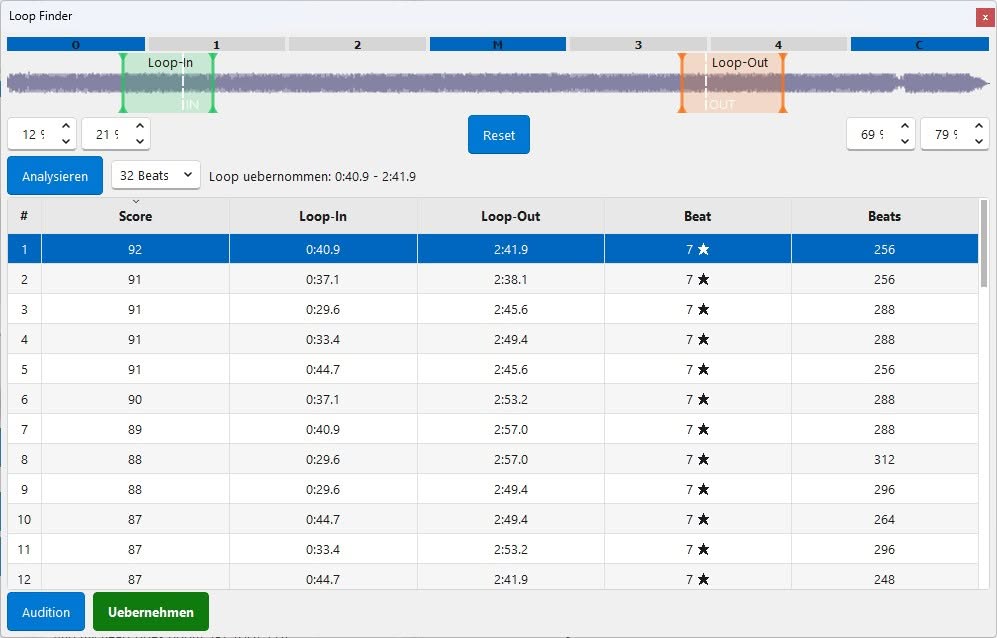
Automatic loop finder via sound analysis
Bad jump markers in loops are annoying. Good loops waste time. Not anymore – thanks to the automatic loop finder in the caller's caddy.
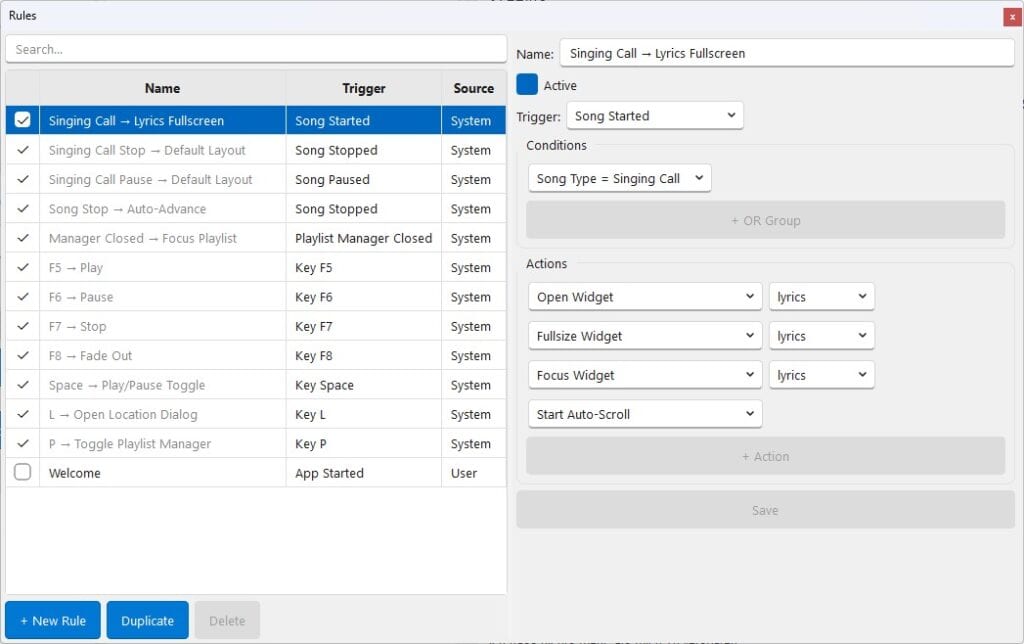
Individual rules for behavior and display
Tired of repeating the same steps? It doesn't have to be that way. With the Rules, you define what... When should your caller's caddy do this?. For example, display lyrics in large format, change layouts, or remind yourself of the pattern in time.

Themes and customizable window sizes
Windows that are too small, inflexible sizes, impractical views? It doesn't have to be that way. You fit in. Window sizes, layouts and colors so they work best for you.
Those were just a few highlights, what The caller's caddy nowadays can.
Fun Fact: Did you know that the first version of Callers Caddy was released back in December 2001? That was on Windows XP. It's hard to imagine what was possible even back then.

In addition to the modern features, there are of course the functions that are simply part of the package today:
- Change tempo and pitch separately,
- Remember when you played which song and where,
- Output setlists and music sequence lists and a
- Stable music output via its own sound engine – without external programs like Winamp or Pacemaker.
- and much more.
What's stopping you from testing the Callers Caddy now?
- Open Source – full transparency.
- For free – Just try it.
- No installation required – download, unzip, start.
- Moving helpers Migration aids for Callers Caddy 1 and SqView already exist. Further migration aids, for example for SDPlayer, are already in development.
Current version – tested, stable and still being developed.
Most recent blog posts
-
Deep Dive: SyncPoints & Dynamic Lyrics
Callers Caddy can scroll the lyrics of a singing call in sync with the music. If desired, it can even display your own custom sequences. There's more to these features than meets the eye. First, Callers Caddy needs to know which part of the lyrics corresponds to which point in the song. This is where SyncPoints come in. Then…
-
The Magic Behind Your Sequences

First off: This article is intentionally a bit longer. It's aimed at callers who not only want to know that the choreo search works, but also want to understand exactly what the caller's caddy does internally with a sequence. If you're just looking for a quick user guide, you can safely skip this article. However, if you want to know how…
-
To-Call or not To-Call

The new Mainstream, Plus, and A1 programs have been in effect since September 1st. Especially at the beginning, this raises a practical question: Did I actually use every call at least once during the club night? Many callers print out the call list and check off the figures one by one. This works – but it's not ideal…
-
Just Drop your MP3 / ZIPs.

New songs can now be imported into Callers Caddy even faster: via drag & drop. Simply drag the desired files or folders onto the "Import New Songs" button. Callers Caddy will automatically detect the files and folders. If it's unclear what should be imported, Callers Caddy will briefly ask for clarification. Once you've added the files…
-
Custom Jump Markers
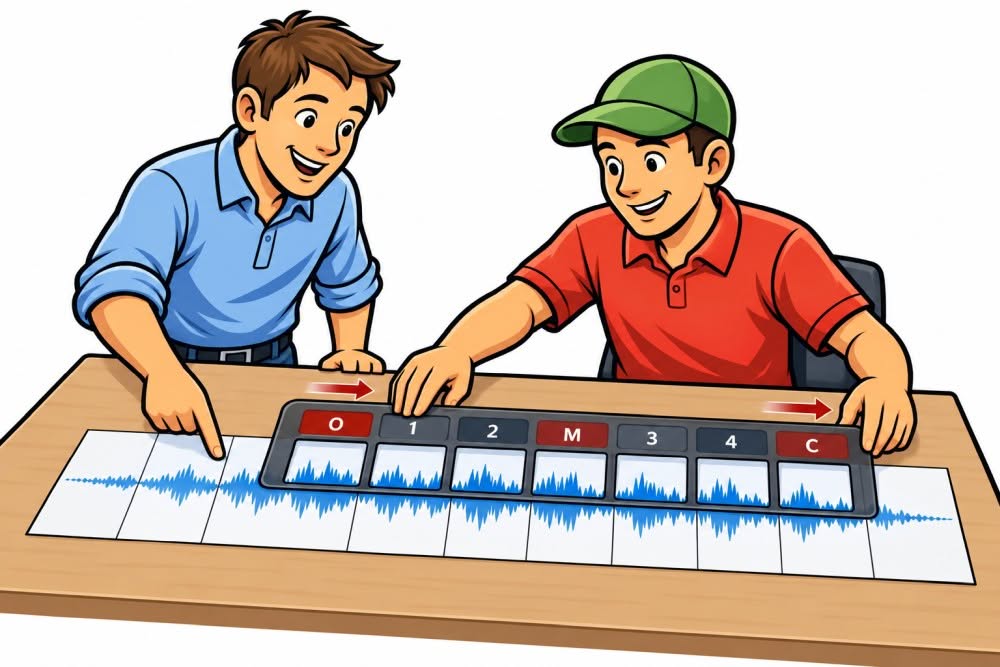
Why do you need jump markers? I don't personally need this feature. I usually just let my music play through. However, other callers like to work with recordings. In these cases, it can be helpful to be able to jump directly to specific points in a song. For example: That's exactly what Callers Caddy now offers, with freely nameable jump markers. This allows you to set…
-
Give Me 20 More Seconds!

You thought your pattern was a perfect match for the music. But just before the end, you realize: I need a few more seconds to get all the dancers home. Back in the day, when calling with records, you simply rewound the record a bit. That's exactly the option you now have in the Caller's Caddy. Just 20 more seconds…
-
Ready for Mainstream 2026

The new CALLERLAB dance programs will come into effect on September 1, 2026. Mainstream will be streamlined to 50 figures. At the same time, some figures from Mainstream and Advanced 1 will move to the Plus program. Version 0.139 of the Caller's Caddy is prepared for this change. It also takes into account that not all clubs will switch to the new programs immediately…
-
Winter is coming – Theme

With version 0.137, winter arrives in the Caller's Caddy. ❄️ The new "Winter is Coming" theme by Thomas Franzek combines deep navy with icy blue accents – inspired by Game of Thrones. You can find it under Settings → Load Theme. And the best part: Creating your own theme is relatively easy. All you need to do is…
-
No Limits: The Invisible Giant Update

Sometimes the most noticeable new features only take a few hours to develop. And sometimes days of work go into an update that you initially see almost nothing of. Version 0.136 of Caller Caddy clearly belongs to the second category. It includes one of the biggest technical changes since development began – and removes a boundary…
-
One Club. Multiple sessions. One Shared History.
A club isn't always just one dance night. Maybe your club has Plus on Tuesdays and Mainstream on Fridays. Perhaps a special event consists of several sessions with different dance programs. Or the same group meets on different days and at different times. With the new sub-locations, you can clearly represent these differences in Callers Caddy – without…
-
One tap. Next tip.
Rules now take over even more work. After my vacation, new features will be added to Callers Caddy. This time, the focus is on rules. You can now select the appropriate sequence type, load a song, and start them manually via the Virtual Stream Deck. This allows you to prepare routines that are frequently needed in a caller's daily work…
-
Dynamic Lyrics: On-the-fly Choreo Injection
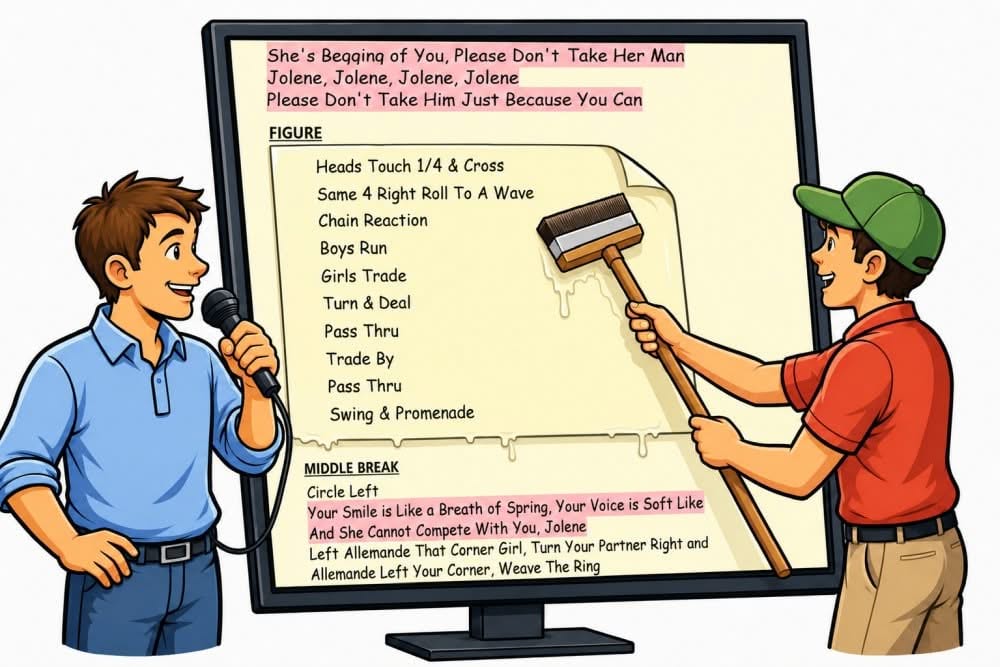
Many callers save the lyrics of a singing call multiple times: one version for mainstream, one for Plus, and perhaps even more variations for other dance programs. With the new Dynamic Lyrics in the Callers Caddy, this is no longer necessary. The Callers Caddy replaces the FIGURE sections supplied by the producer directly on the screen with your own choreography sequences.
-
Customize your Toolbox (Stream Deck)
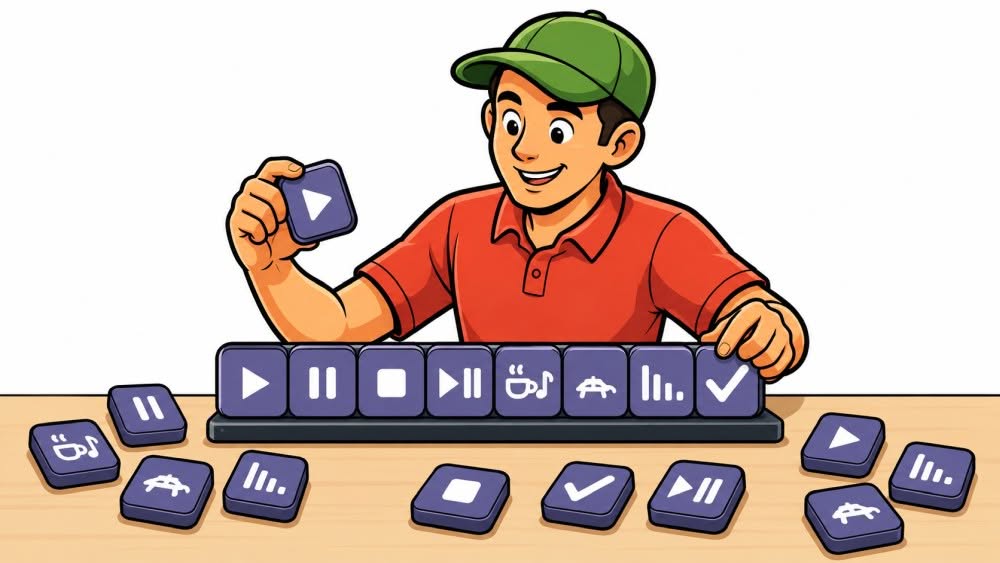
A physical Stream Deck consists of freely assignable buttons: you decide which function is behind a button and which symbol is displayed on it. This same idea is now available in Callers Caddy. With the new Stream Deck widget, you can place your most important functions as freely configurable buttons directly on the main interface. This way…
-
Target BPM
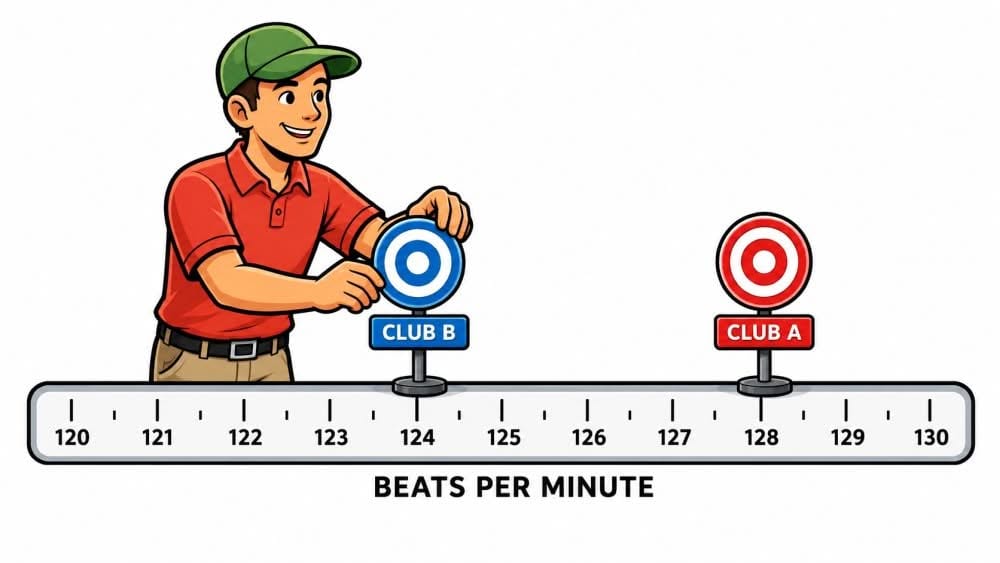
Not every square dance group prefers to dance at the same speed. While Club A might feel comfortable at 128 beats per minute, Club B might need a slightly slower tempo of 124 BPM. At the same time, your songs weren't all recorded at the same speed: some are a bit faster, others slower. So far, you've had to adjust the tempo for each song…
-
Volume Limiter
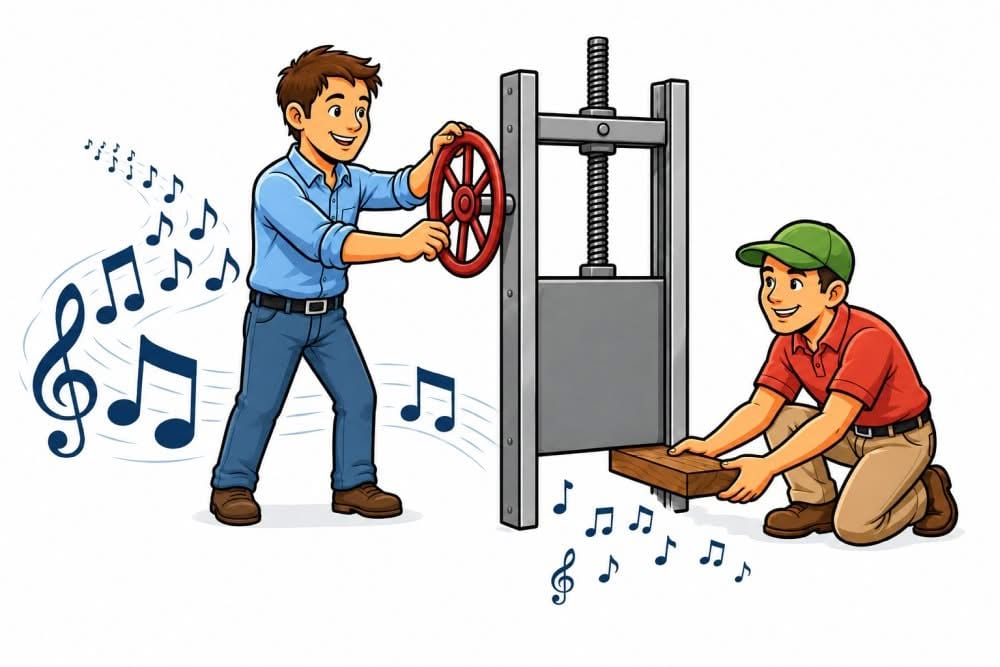
The volume limiter lets you set the maximum volume level allowed in the Callers Caddy. This might sound a little unusual at first, since you'd normally expect the music to be completely off when the volume control is turned all the way down. However, some callers want to be able to hear some quiet background music even at the lowest setting…
-
Caller's Caddy – HotKeys

Sometimes, when calling, you just need to act fast. That's exactly what the Callers Caddy offers: hotkeys or shortcuts. These allow you to trigger important functions directly from your keyboard, without having to reach for the mouse and click a button. Why hotkeys are so practical: Reaching for a single key is usually faster and…
-
Never Search for the Song Start Again

Almost every singing call has an intro. And often an outro too. That's perfectly normal. The music file starts, the intro plays—and only after a few seconds does the actual opener begin. With simple playback, this isn't a problem. But for smart caller software, this exact moment is crucial. Because Callers Caddy can do much more…
-
New Theme: FIRE

With the new FIRE theme, the Callers Caddy gets a fresh new look. Warm, bold, and energetic. But what exactly is a theme? A theme determines how the Callers Caddy looks. This includes things like colors, backgrounds, borders, spacing, lines, and other details of the user interface. The functionality remains the same, but the interface gets its own unique style.
-
Your Lyrics. Synced Automatically.
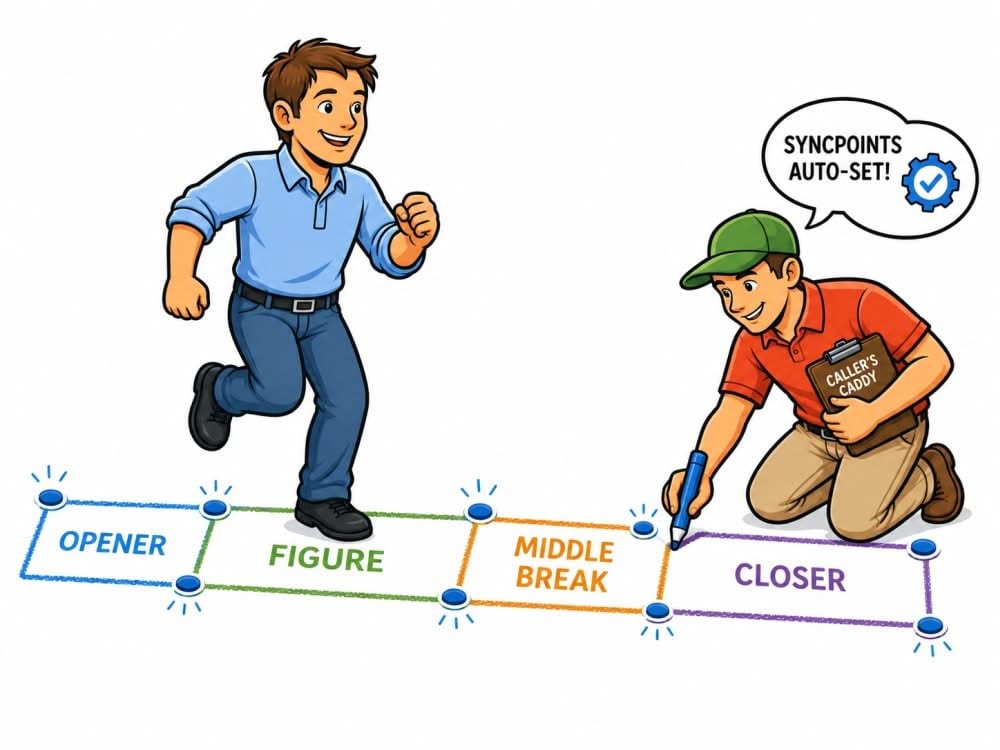
Here's a clearly structured outline in simple, active language: Automatically setting SyncPoints. Lyrics have been able to run in sync with the music in Callers Caddy for some time now. This is made possible by SyncPoints. These are anchor points in your lyrics. While the music is playing, you click on the appropriate points in the text. This way, Callers Caddy remembers when…
-
Start Right on Cue

One of the most critical moments in a singing call is the first cue. The music starts, the intro ends, and you need to know exactly when your first call is coming. If you're too early, it feels unsettled. If you're too late, the whole start immediately feels shaky. That's precisely what the Caller's Caddy is for…
-
Sync Point for smooth auto scroll
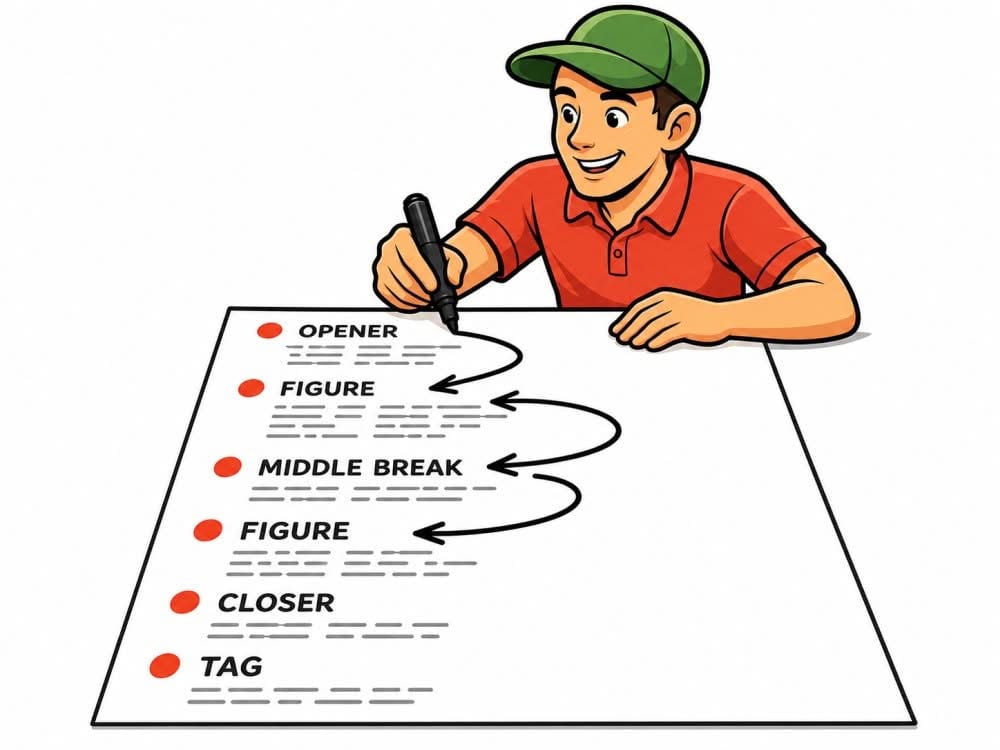
Do you know that feeling? You're singing a call, the music's playing, the lyrics are scrolling automatically—but at a crucial point, the lyrics are just a little too early or too late. Maybe at the middle break. Maybe at the closer. Maybe right where you need a quick cue. Automatic lyric scrolling has been handy so far. But with version…
-
Give Me the ZIP — I'll Do the Rest

Many square dance record labels now deliver new music as ZIP files. After purchasing, you download a file. This ZIP file often contains several music files. In addition, there are frequently several lyrics files, sometimes in PDF, sometimes in DOCX, sometimes in RTF, TXT, or HTML format. Previously, you had to extract these files yourself. Then you had to…
-
Callers Caddy Now Supports Japanese

With version 0.105, Callers Caddy now offers its first Japanese translation of the user interface. This marks the next small but important step: Callers Caddy is becoming more international. The translation option was included from the very beginning. Callers Caddy was designed from the outset to allow for interface translation. The software was launched…
-
Lyrics – DOCX & PDF Viewer

Many callers already have their lyrics and cue sheets stored somewhere on their computers. Sometimes as a text file. Sometimes as RTF. Sometimes as a nicely formatted Word document. And sometimes as a PDF. Until now, this wasn't always convenient. If a cue sheet was a Word file, you first had to open it, copy it, convert it, or move it to another format…
-
Lyrics Editing Just Got Easier

Editing lyrics has often been more cumbersome than necessary. You had to open the file in another program, adjust the text, format it, save it, and then check if everything was still correctly linked in Callers Caddy. For a single song, this is just a minor inconvenience. But with a large music collection, it quickly becomes a real time-waster. If…
-
Check it on the laptop. Play it on the PA
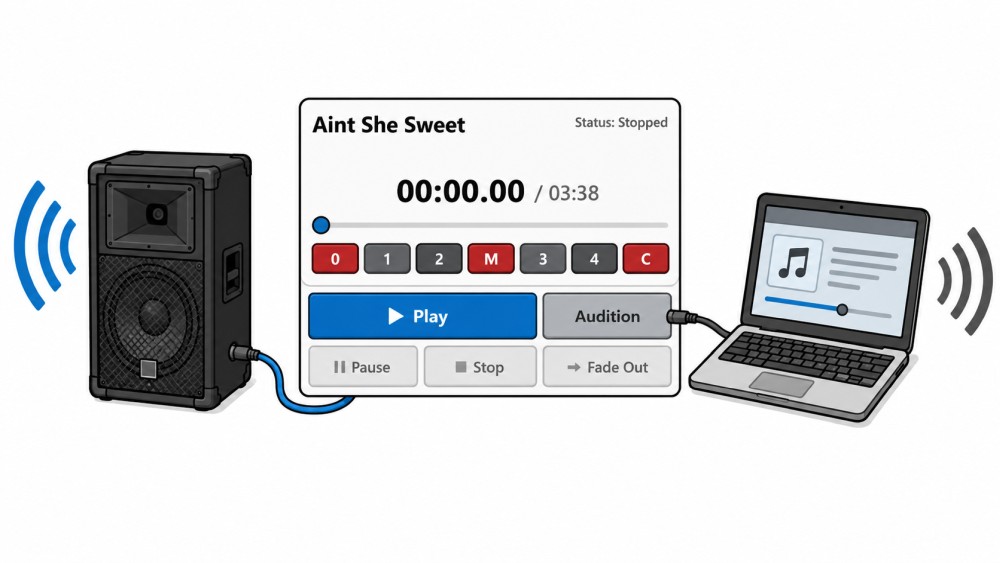
Sometimes you want to listen to a song briefly before it's actually played through the sound system. Perhaps you're not sure if it's the right version. Maybe there are multiple recordings from different square dance labels. Or you want to decide together with another caller which song is a better fit. That's exactly what the Audition button is for…
-
General Settings

Previously, some settings in Callers Caddy required direct access to the callers_caddy.ini file. This was possible, but not particularly convenient. You had to find the right file, then locate the relevant section, and finally change the value correctly. And if you made a typo, things could quickly become confusing.
-
Song Feedback – Learn From Every Song

With version 0.82, Callers Caddy gets a new feedback feature. This solves a problem many large music collections face: the data actually needs to be maintained. But this task quickly feels overwhelming. Entering quality, assessing ERR, adding notes, checking songs, correcting values—if you have a lot of songs, this can take a long time. And then this often happens…
-
Select Your Audio Output

Sometimes you don't want to play a song through the main sound system. Maybe a fellow caller is sitting next to you at their computer. You want to quickly play them a song. Or you want to listen to a track yourself without the whole room hearing it. Until now, this was often cumbersome. You had to change the audio output in Windows. Or unplug and replug cables. Or hope that the right one was selected…
-
Plan with Custom Song Filters

Sometimes a standard genre filter isn't enough. Sure, you can filter by pattern, singing style, genre, or search in the Callers Caddy Planner. That's helpful in many situations. But what if you need a very specific selection? For example, you're planning a special night out at the club. You've already created a playlist with suitable songs…
-
Plan your club night with one click

An empty playlist wastes time. You probably already know how many tips you need. You also know whether you want to use patterns, singings, or both. Even so, you still have to select each song individually and put it in the right order. That's exactly what Auto-Fill in Planner is for now. With one click, Callers Caddy fills your…
-
Installing Callers Caddy Updates

Want to update Callers Caddy? Great idea. An update brings you new features, improvements, and bug fixes. Sometimes it's big new tools, sometimes small fixes that make everyday tasks easier. Just make sure you download the right file. There's a difference between the full version and an update file. ① Why even bother with an update…
-
Crash Report

Crashes should, of course, be avoided. The goal is clear: Caller's Caddy should run stably on stage, especially in situations where a caller doesn't want to spend time searching, testing, or restarting. Music must play. Lyrics should be visible. Playlists should work. Nevertheless, no software is perfect. Even rare errors can occur. The important question then becomes:…
-
ReDesign Callers Caddy

First, it had to work. The player was the heart of Callers Caddy from the very beginning. This is where the music plays. This is where patterns and singing calls are initiated. This is where tempo, pitch, loop, lyrics, planner, and many other important functions are located. Therefore, in the first phase, one thing clearly took precedence: the functions had to be there. A prototype…
-
Shortcodes in Notes

How do you keep track of all the ideas you've planned for a club night? You want to play a specific song. You want to repeat a sequence. You have a suggestion for the class. You want to practice swing thru at a particular point. These kinds of ideas are easy to jot down. But while calling, there's little time to search. That's exactly what…
-
Find Your Music Blind Spot

As callers, we all have our favorite songs. Some songs just work. They provide a sense of security. They create a good atmosphere. They suit our voices. And that's precisely why they keep appearing in the setlist. The problem is: we often don't even realize how often we call certain songs. At the same time, other tracks remain on the playlist, even though…
-
Easy Starter Pack – Yellow Rock Records

You don't really learn a new program through theory alone. Sure, you can read a manual. You can look at screenshots. You can have someone explain what each button does. But the real feeling only comes when you open the program, load music, try something out, and realize: Ah, that's how it works. That's exactly what Callers Caddy is for…
-
Stream Deck for Square Dance Callers: Music Control Made Easy
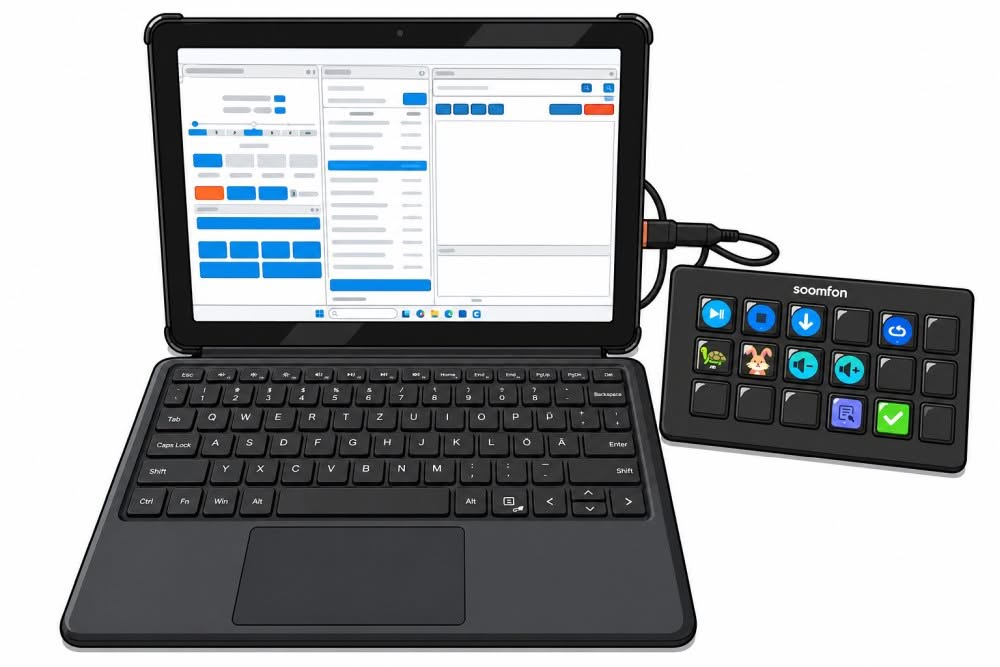
Laptops have already taken a lot of work off the hands of square dance callers. Managing music, searching for songs, adjusting the tempo, displaying lyrics, preparing playlists – many things are much easier today than before. Nevertheless, one small problem remains in live situations: mouse and touchpad aren't always the most comfortable way to control music. Especially when you're simultaneously calling, keeping an eye on the dancers, and so on…
-
Dual View (ie Lyrics + Sequences)

Some features have instant visual impact. The new Dual View is definitely one of them. With it, you can bring two widgets to the forefront simultaneously in Callers Caddy and display them side-by-side as floating windows. This is especially useful when you don't just want to keep an eye on one widget, but need to view two things at once. That's exactly what…
-
Connecting the dots

The big leaps are here – now for the finer details. Major new features like the Loop Finder are already in Callers Caddy. These features are immediately noticeable. They visibly bring a lot of dynamism to the software. Now it's about something else. Now it's about the small, subtle details. These are precisely the things…
-
New Music for Callers – How to find them

Square dance callers are always looking for new music. A great song can change the mood of a tip. It can liven up the dance floor, bring fresh energy, and make the dancers smile. That's why many callers are constantly on the lookout for the next track to add to their music library. Today, it's much easier to find good square dance music…
-
Caller Notes

Anyone who regularly calls for clubs, prepares a special, or teaches a class knows the problem: there are always a few things floating around in your head. These thoughts are often important – but unfortunately, they're not always there when you need them. That's precisely why Callers Caddy now offers a new feature: Notes. The new…
-
Press ANY Key
Anyone who calls from a laptop or PC quickly encounters the problem: there are more things you want to do with a single keystroke than there are conveniently available keys. Initially, the standard keys are often sufficient. In Callers Caddy, the F5 to F8 keys are already sensibly assigned – for Play, Pause/Resume, Stop, and Fadeout.
-
Auto-Import Lyrics

The age-old problem: Manual linking. Anyone who regularly imports new songs into their music player knows the scenario: You have a nice MP3 file—and often a lyrics file (RTF, HTML, or TXT) alongside it. The classic workflow: For 10 songs? Doable. For 100 songs? Tedious. For 1,000 songs? Unrealistic. The solution: Lyrics co-import in Callers Caddy…
-
Rules, ALL Triggers, Conditions, Actions and Parameters

The rules system is the heart of automation in Callers Caddy. You define when something should happen (trigger), whether a condition must be met (condition), and what happens then (action). All without scripting, all with a single click. And so you know exactly what's currently available, here's the complete list of triggers…
-
Controlled Loops for Pattern Music

A pattern can be looped cleanly and musically, yet still become too long. This is often where the real problem lies in practice. People's attention spans, and therefore those of dancers, are limited. If a pattern runs for too long, the tension drops. The energy in the room becomes flat. And what just worked well a moment ago…
-
Rules – Your Workflow, Your Choice

Every caller has their own way of working. Some want to configure as little as possible, preferring the software to anticipate needs and take work off their hands. Others prefer to make their own decisions, only using features they've thoroughly tested. Both approaches are perfectly fine. Callers Caddy has long reflected this. It supports various languages and features…
-
Loop Finder

Anyone who adds a lot of new songs to their collection knows the problem: manually setting loop markers is time-consuming. A lot of time. This is precisely where the new Loop Finder in the Callers Caddy comes in. It's not meant to replace your ear, but it's designed to take the work off your hands, so you, as the caller, have to search much less yourself. Read the article…
-
Tutorials

With version 0.35, Callers Caddy gets a new tutorial system. The idea behind it is simple: functions should be explained where they are needed. Callers Caddy, in particular, has many widgets and windows with their own tasks. This is practical in everyday use, but can also seem confusing at first. A traditional manual only helps to a limited extent…
-
Organize your song database
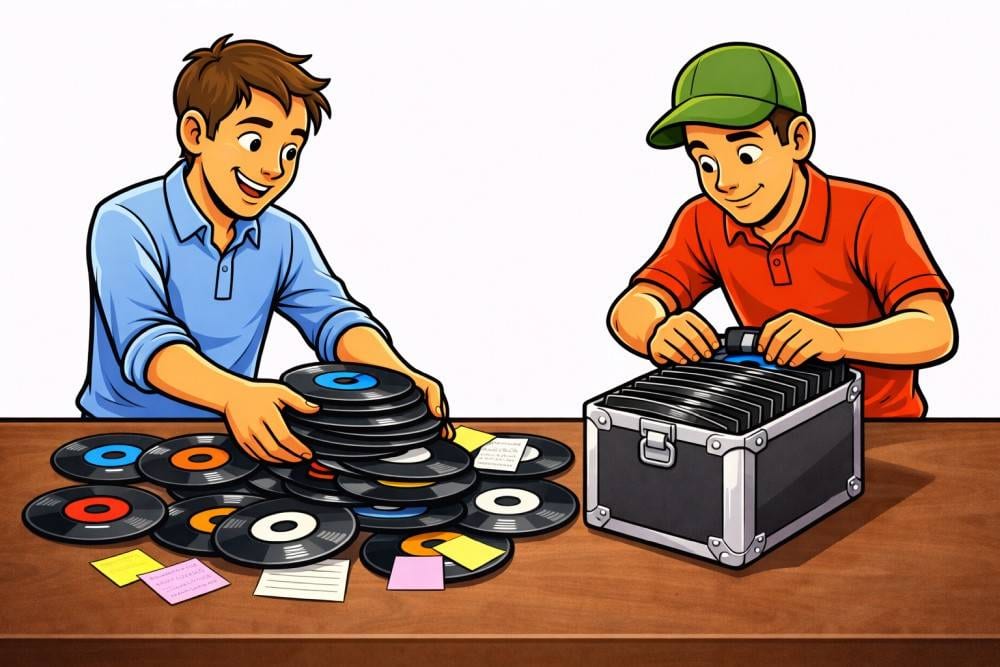
Over time, every song database becomes a bit like a desk in real life. At the beginning, everything is neatly organized. But the more evenings you spend calling, the more songs you add, and the more often you spontaneously add something, the more likely it is that little things will be left unfinished. Sometimes the lyrics are missing for a singing call. Sometimes…
-
The correct sequence for perfect loops

Anyone who works with MP3 loops knows the problem: You set the markers precisely, listen to the section, and think: That should be perfect. But then, when playing back normally, the transition still doesn't sound quite right. This is precisely where knowing the correct sequence becomes crucial. Because a good loop isn't created by simply…
-
The 6 best music management programs for square dance callers

The hall is packed, the atmosphere is great, and your dancers are ready. You click once, the right music starts, your playlist is sorted, your loops are in the right place, and every MP3 file is exactly where you need it. Instead of struggling with your software, you stay focused on the dance floor, the timing…
-
Beat-Snap – Automatically set loops

This was a huge advantage when we switched to digital music files and could create endless pattern loops. No more manual, clunky music resets with the remote button. However, setting the loop jump points can sometimes be tricky and time-consuming. With the new Callers Caddy, it's now a thousand times easier. 1. First, you roughly set your jump markers in the song…
-
Why the new Callers Caddy is being released as open source under the GPL

1. Good caller tools shouldn't depend on a single person. Some software is more than just a program. Over time, it becomes a tool that people rely on. That's exactly how I see the Caller's Caddy. Because I believe our square dance scene is too valuable for important tools to simply disappear just because…
-
Determine the BPM of the square dance song

Wow, that was so annoying back then! You had to manually calculate how many beats per minute the square dance song had. But modern technology can do that for you very accurately and reliably. That's why automatic BPM measurement is included in Callers Caddy (from version 0.30 onwards).
-
Color change via theme

We're all familiar with this from smartphones today: the ability to customize the color and design of apps. So why not offer the same for Callers Caddy? That's why you can choose between different color schemes. Here are a few examples: As you can see, Callers Caddy may change the colors in the lyric window. This is how…
-
Performance (Callers Caddy)

Every program is fast - without data and users 😉 That's why I really wanted to know how fast the new Callers Caddy is before it was released. And not just collect feedback when users are suffering. So I tested my modest list of 518 songs for performance. And simply added another 10,000 pieces of music to the system and...
-
Transfer wizard - import existing data

Nobody wants to start from 0 again. I realize that, and I didn't want to rebuild everything manually either. My laziness becomes your gain, because OF COURSE there is a relocation helper. It already exists for the earlier version of Callers Caddy. I used that. But I know that there are others out there...
-
Magnetic windows
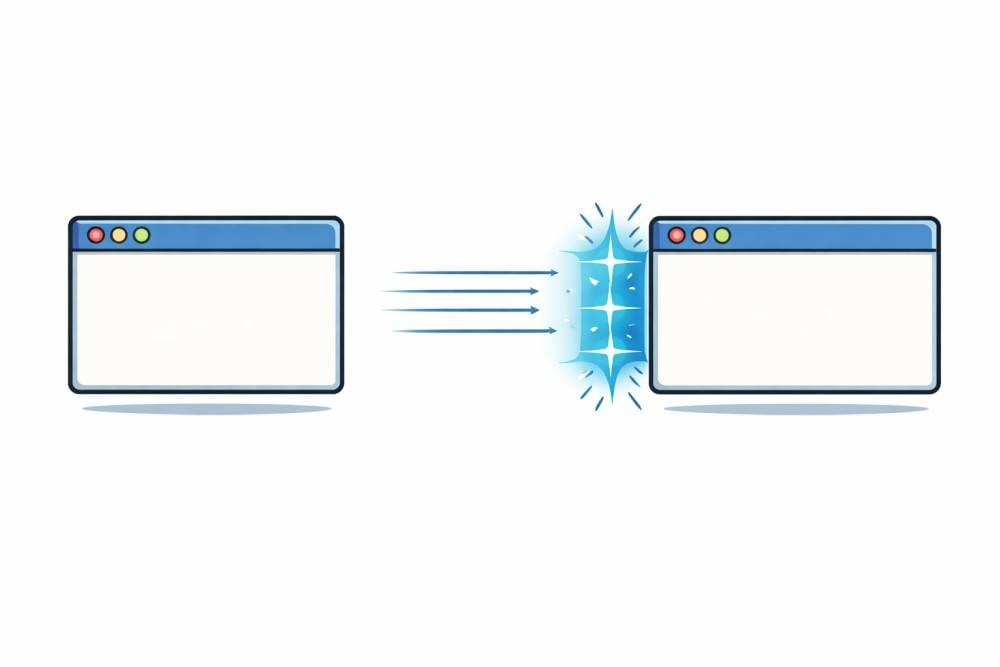
With the new Callers Caddy, I am fulfilling a personal dream. Even back then on Windows XP, I wanted to have magnetic windows (for myself) for my customers. Then everyone can drag their windows to the size they want and that fits their laptop. That wasn't possible back then. But it does today. That's why the new...
-
NEWS: Callers Caddy is coming back

It's decided... I'm reprogramming the Callers Caddy. For many years, the Callers Caddy was THE standard (especially in Europe) for callers who wanted to work on a laptop and no longer wanted to lug around large record cases. I can't promise a release date yet, but I've been bitten by the bug again and I'm busy programming. But...