

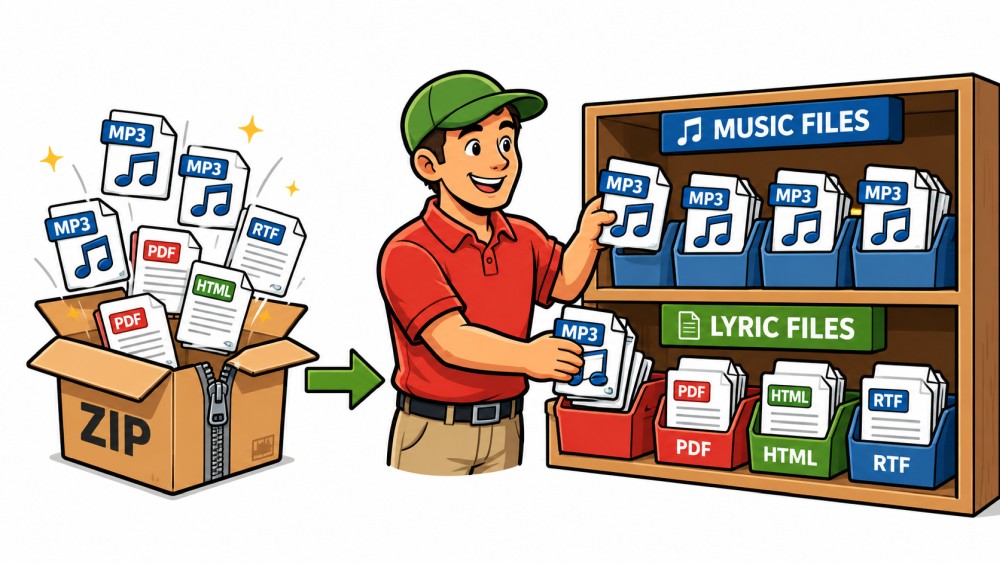
Many square dance record labels now deliver new music as a ZIP file.
After purchasing, you download a file. This ZIP file often contains several music files. In addition, there are frequently several lyrics files. Sometimes as PDFs, sometimes as DOCX, sometimes as RTF, TXT, or HTML.
Previously, you had to unpack these files yourself. Then you had to find the right music file. After that, you had to find the matching lyrics. And with variations like Vocal, No Lead, or No Backup Vocals, it was easy to lose track.
Starting with version 0.107, Callers Caddy takes a lot of this work off your hands. And this really useful improvement was suggested by Steve Dvorak from Olympia, Washington.
Select and check a ZIP file
There is now a new source in the import dialog:
„ZIP package (label delivery)…“
You simply select the ZIP file that you received from the label.
Callers Caddy first unpacks the file for testing purposes. The software examines which files are contained within. Then it analyzes which music files and lyrics likely belong together.
Then you'll get a preview.
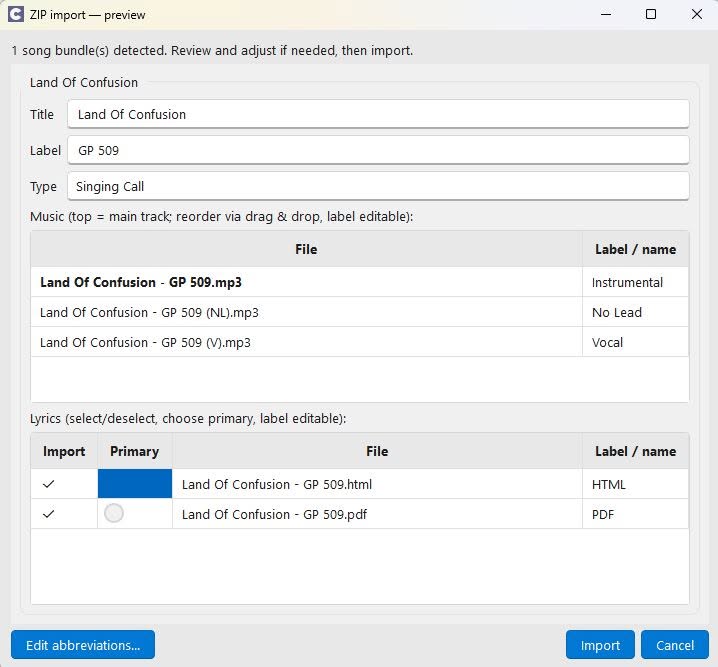
So you can see in advance what Caller's Caddy would import.
You decide before the import.
Caller's caddy doesn't take anything blindly.
You will first see a preview window. There you can see the songs, music tracks and lyrics files that have been found.
If everything looks good, click on OK.
If something doesn't fit, you can adjust it directly.
You can rearrange the music tracks. You can select or deselect lyrics. You can specify the primary lyrics file. You can change labels.
This keeps the import process fast, but you retain control.
The main song and its variations are recognized.
Many label packages contain more than just one music file.
There is often an instrumental version. In addition, there are other variations. For example:
(V) for vocals
(NL) for No Lead
(NB) for No Backup Vocals
Callers Caddy recognizes such abbreviations in the file name. The instrumental version without any additional information is usually suggested as the main track. Further tracks are offered as variations.
You can change the order using drag and drop.
The topmost music track becomes the main song. The other tracks are added as variations to the song.
Lyrics in multiple formats
Many labels include lyrics. But they don't always use the same format.
Callers Caddy is now searching for lyrics files in multiple formats:
HTML, PDF, DOCX, RTF and TXT
You can choose which lyrics you want to include. You can also specify which file should be the primary lyrics file.
This is particularly useful when a label provides multiple versions.
Improved matching with different file names
Another improvement is hidden in the background.
Previously, the name of the lyrics file often had to match the MP3 file name very closely. This wasn't always the case in practice.
An example:
The music might be called:
Achy Breaky Heart-RYL 555.mp3
The lyrics are simply titled:
Achy Breaky Heart.docx
Callers Caddy used to be able to miss such files.
Callers Caddy now compares names much more tolerantly. The software recognizes label abbreviations at the end. It checks spellings. It handles special characters better.
This saves time, especially if you're importing a lot of songs.
Listen to a preview directly
In the preview you can briefly play each music track.
There is a small sample column with play and pause buttons.
This way you can directly check which track is the instrumental version and which track is a variant.
This preview remains silent in the background. It doesn't trigger any rules. It doesn't write anything to the history. It behaves like the preview in the Loop Finder.
So you can safely check before you import.
Customize abbreviations yourself
Labels don't always use the exact same abbreviations.
Therefore, you can edit the abbreviation table.
About „Edit abbreviations…“ You decide what an abbreviation should mean.
For example:
V → Vocal
NL → No Lead Instrument
NB → No backup vocals
If Caller's Caddy encounters an unknown abbreviation, it initially copies the text in its raw form. You can then overwrite it yourself.
What happens during a takeover?
If you confirm the import, Callers Caddy will properly install the song.
The main MP3 and the primary lyrics file end up in the normal song data.
Additional music tracks and lyrics files are saved as variants within the song.
This keeps your song list organized. At the same time, you won't lose any files from the label package.
Why this function is important
The new ZIP import feature makes it easier to get started with new songs.
You download the package from the label. You select it in Callers Caddy. You check the preview. Then you download the files.
You'll have to do less manual sorting. You'll have to compare fewer filenames. You'll have to search less.
And yet, you still decide what gets imported in the end.
That's exactly how an import should work.
Download Callers Caddy for free
Would you like to try out the new ZIP import feature right away?
Then download Callers Caddy now for free and test the new feature with your next label pack.
The download is easy:
Download, extract, and launch.
This way you can immediately see how Callers Caddy analyzes your ZIP file, recognizes music tracks, assigns lyrics, and previews everything before importing.
Download Callers Caddy for free now and try out the ZIP import directly.