


Anyone who works with MP3 loops knows the problem:
You set the jump markers cleanly, listen to the area and think: That should work now.
And even then, the transition still doesn't sound completely clean during normal playback.
This is precisely where knowing the correct sequence becomes crucial. A good loop isn't created by haphazardly tweaking several things at once. It's built step by step.
There is a clear order.
If you want to create a clean loop, always work in this order:
1. Set jump markers cleanly
2. Adjust offset per song
3. Use crossfade only at the very end.
This order is important.
Because later steps cannot repair a bad foundation. They can only build upon a clean one.
Step 1: Set jump markers cleanly
The first and most important step is... Jump links.
If the beginning and end of the loop aren't set correctly, everything else becomes difficult. While you can improve or mask the problem later, the underlying cause remains.
Therefore:
First, set the loop markers as neatly as possible.
For this purpose, the Caller's Caddy is BeatSnap with preview function This is especially helpful. You can use it to easily check if the beginning and end fit together musically. And you can fine-tune it until the transition sounds really good.
This is exactly where patience is needed.
Because this step is the foundation for everything else.
Why a cleanly set loop can still stutter later on
Now comes the point that is often confusing:
Even if the jump markers are set correctly, normal playback may still sound different later.
That does not automatically mean that the brands are fake.
The reason is:
Previewing and checking the markers is not exactly the same as actually playing an MP3 on the running system. Other factors come into play during a normal loop:
- MP3 decoding
- the timing of the return
- the audio output
- minor delays in the process
Therefore, a loop may appear clean in one place but still have a small stumble in actual operation.
At this point, it's no longer about fundamentally rebranding the brands.
The main goal here is to better coordinate the transition within the actual system.
Step 2: Offset per song
First after Once the jump markers have been set correctly, the next step is:
the offset per song.
New in Caller's Caddy 0.32 You can set a separate offset for each song. This allows you to better adjust the actual return to the respective song.
This is helpful because not every MP3 reacts the same way. Some tracks need a small additional offset so that the transition feels smoother during normal playback.
But very important:
You only set the offset once the jump markers are already correct.
Offset printing is not a tool to save bad brands.
Its purpose is to further improve the adaptation of an already good loop to the actual behavior within the system.
Step 3: Crossfade
Only now comes the final step:
Crossfade.
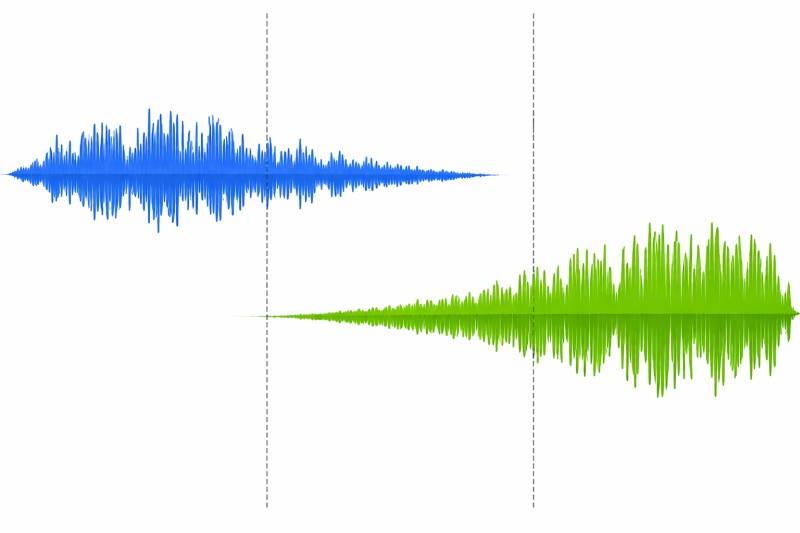
Many programs simply jump back abruptly at the loop point. While this works technically, it often sounds somewhat abrupt. Our ears quickly register the sudden change.
Therefore, Caller's Caddy can make the transition smoother. The end and beginning of the loop are briefly blended together.
This often makes the transition much more natural.
Here too, the following applies:
Crossfade only comes after clean marks and only after the offset.
Why?
Because crossfade isn't a repair tool for bad loop points. It's the final touch. It helps make an already good transition sound even smoother.
Or, to put it more simply:
Crossfade only paints over the seam.
The actual work must have been done cleanly beforehand.
In Callers Caddy you can set the length of this crossfade in the INI file.
The order is once again perfectly clear
For a good loop, you should always proceed as follows:
1. Set jump markers cleanly
Use BeatSnap and the preview function to optimize until the transition sounds good.
2. Adjust offset per song
Only after that, and only to compensate for minor system-related deviations.
3. Use crossfade
Only at the very end, to make the transition smoother and more pleasant.
This is how you work from the clean base until final touches.
Conclusion
Perfect loops are not created by a single trick.
First, the jump markers must be positioned correctly.
After that, an individual offset for each song can help.
And finally, crossfade ensures a softer transition.
The correct order is therefore:
Jump marks → Offset → Crossfade
That's exactly what it brings Caller's Caddy 0.32 the appropriate improvements included.